
Implementing inspection management software can help oil and gas inspection companies reduce paperwork, improve reporting accuracy, and manage jobs more efficiently. However, the biggest concern for many operations managers is simple: How can you introduce new software without delaying inspections, confusing field teams, or disrupting ongoing projects?
The solution is to implement the software in stages, involve inspectors early, and test real inspection workflows before rolling it out across the business.
For oil and gas inspection companies, a well-planned implementation can connect job scheduling, field inspections, asset records, and final reporting while allowing teams to continue their daily work.
In this guide, we explain how to implement inspection management software with minimal disruption, avoid common mistakes, and prepare your team for a smoother transition.
Inspection teams often work across multiple sites, offshore locations, and industrial facilities. Therefore, introducing new software without proper planning can create operational challenges.
Common problems include:
As a result, successful implementation requires more than installing software. It involves preparing people, processes, and data before changing how inspections are managed.
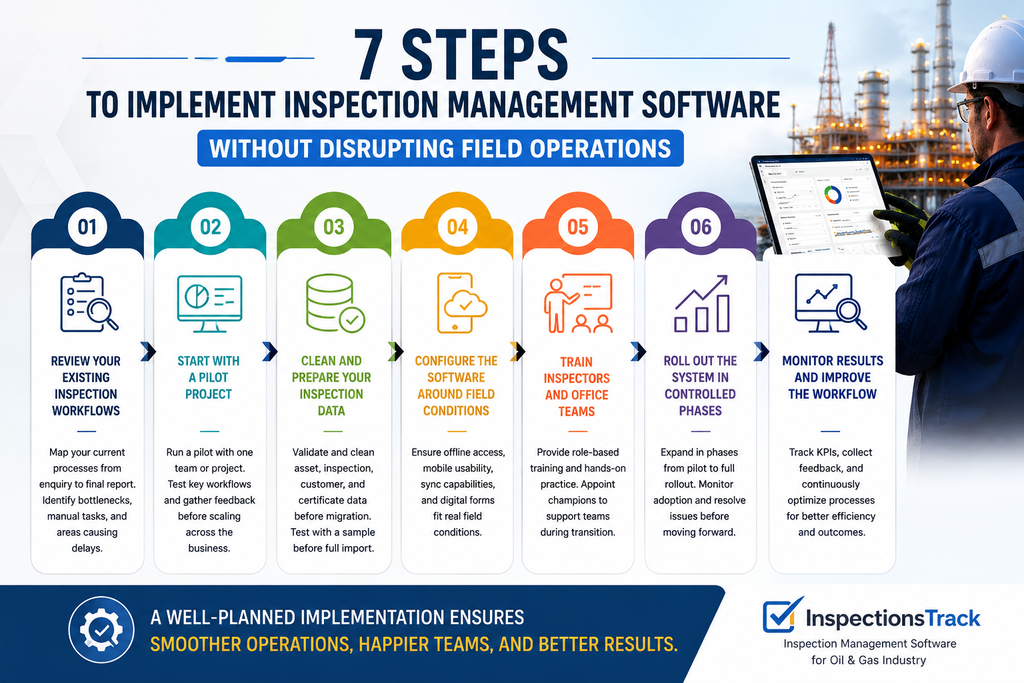
Before selecting or configuring a system, document how your inspection business currently operates.
For example, map the journey from receiving a customer enquiry to issuing the final inspection report. Identify how your team handles quotations, job allocation, inspector mobilization, field data collection, technical reviews, and customer approvals.
Pay particular attention to tasks that depend on manual data entry or repeated communication.
Start by identifying:
This assessment helps you configure the software around actual business requirements rather than forcing your team into an unsuitable workflow.
Instead of introducing inspection management software across every project at once, begin with a small, manageable pilot.
Choose a project that represents your normal inspection activities without involving your most complicated operational requirements.
For example, you could start with one inspection team, one client, or a limited group of equipment inspections.
During the pilot, test:
Once the pilot is successful, collect feedback, correct configuration issues, and expand to additional teams.
Practical tip: Keep the existing reporting process available during the pilot until the new workflow has been tested and approved. This provides a fallback if an unexpected problem occurs.
Data migration is one of the most important stages of implementation. Moving inaccurate or incomplete records into a new system can create problems that are difficult to identify later.
Before importing data, review your existing spreadsheets, databases, asset registers, inspection certificates, and historical reports.
| Data type | What to check before migration |
|---|---|
| Asset records | Confirm asset IDs, descriptions, locations, and equipment details |
| Inspection history | Check previous inspection dates, findings, and report references |
| Customer records | Remove duplicate accounts and verify contact details |
| Certificates and reports | Confirm document links, formats, and identification numbers |
| Inspector records | Verify qualifications, assigned roles, and relevant approvals |
Next, migrate a sample of records and compare them with the original data. Only proceed with the full migration after confirming that essential information has transferred correctly.
Where possible, keep a secure backup of the original records until the migration has been validated.
Oil and gas inspections do not always take place in offices with reliable internet connections. Inspectors may work offshore, at remote facilities, or across multiple industrial sites.
Consequently, your inspection management software should support the practical conditions in which your teams operate.
Evaluate whether the system provides:
Test these capabilities in realistic field conditions before the wider rollout. For example, simulate an inspection with limited connectivity and verify that records, photographs, and reports remain available as expected.
This step helps prevent avoidable delays once inspectors begin using the system on live projects.
Even well-designed software can fail to deliver results if employees do not understand how to use it.
However, training does not need to take inspectors away from their work for extended periods. Instead, organize short, role-specific sessions around the tasks employees perform every day.
| Team | Recommended training focus |
|---|---|
| Field inspectors | Completing inspections, recording findings, capturing evidence, and submitting reports |
| Operations coordinators | Job scheduling, resource allocation, mobilization, and progress tracking |
| Technical reviewers | Reviewing findings, checking report quality, and managing approvals |
| Managers | Monitoring workloads, overdue inspections, project progress, and performance |
| Administrators | Managing users, templates, permissions, and configuration |
Additionally, appoint a few internal champions who can support colleagues during the transition. Their practical experience can help resolve common questions quickly.
Provide simple instructions and allow employees to practise using sample jobs before they move to live inspections.
After the pilot, expand the software gradually rather than switching every team at the same time.
A phased rollout gives managers time to identify issues, support employees, and maintain service quality.
A practical implementation sequence could look like this:
During each phase, define who is responsible for support, how issues will be reported, and what conditions must be met before moving forward.
Most importantly, avoid changing inspection procedures, reporting templates, and job allocation rules all at once unless there is a clear operational reason. A controlled transition is easier for employees to understand and manage.
Implementation does not end when the software goes live. Instead, monitor performance to confirm that the system is improving operations rather than creating additional work.
Track a small set of meaningful KPIs during the first few weeks and compare them with your baseline.
| KPI | What it helps you measure |
|---|---|
| Report turnaround time | Whether inspection reports are being delivered faster |
| On-time inspection completion | Whether planned inspections are completed as scheduled |
| Report correction rate | Whether data quality and reporting accuracy are improving |
| Administrative time per job | Whether manual coordination and data entry are decreasing |
| User adoption | Whether employees are consistently using the new system |
| Data migration accuracy | Whether asset and inspection records have transferred correctly |
Review these measures regularly with field inspectors, operations managers, and technical reviewers. If a process creates delays, investigate the cause before expanding further.
For oil and gas inspection companies, InspectionsTrack provides an inspection management software solution designed to help connect field activities with office operations and reporting.
Rather than managing jobs, inspection records, and reports across disconnected tools, teams can use a more connected workflow.
InspectionsTrack supports capabilities including:
These capabilities can help inspection businesses standardize their processes while reducing dependence on paper records and disconnected spreadsheets.
However, the best implementation approach still depends on your existing systems, data quality, reporting requirements, and team readiness. Before rollout, confirm that the selected configuration supports your specific workflows.
Want to see how InspectionsTrack could fit your inspection operations?
Even with a clear plan, some implementation mistakes can create unnecessary disruption.
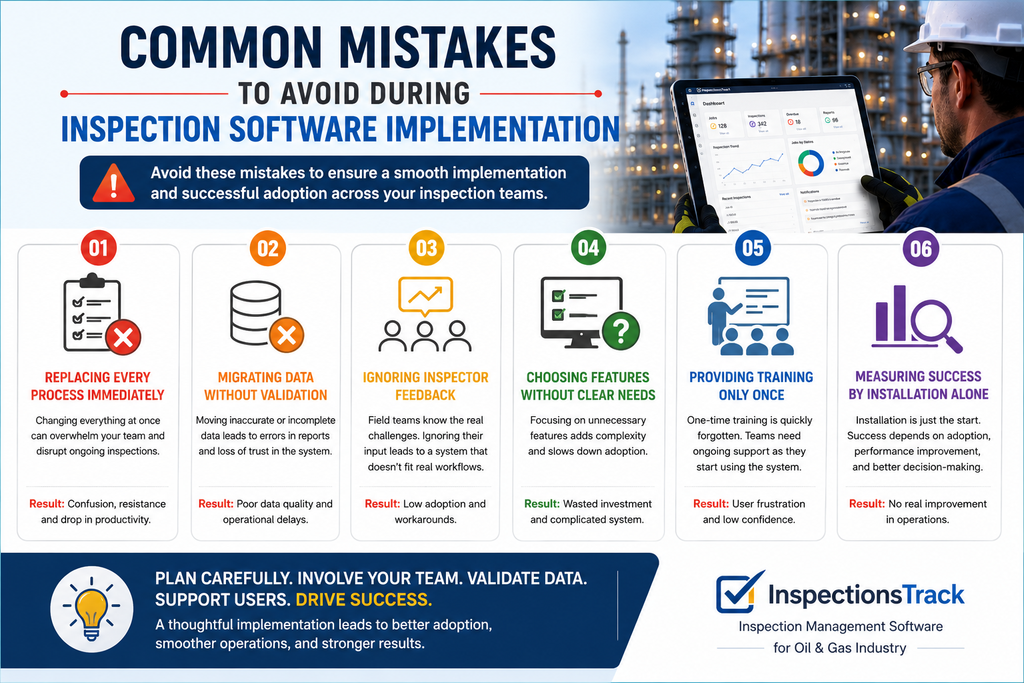
Avoid these common issues:
By addressing these risks early, inspection companies can make the transition more predictable and protect ongoing project commitments.
Read more : Inspection Acceptance Criteria: How to Keep Pass and Fail Decisions Consistent
The timeline depends on the number of users, inspection workflows, data volume, integrations, and customization requirements. A limited pilot can help validate the approach before a wider rollout. Ask your software provider for a project-specific implementation plan.
Yes. A phased rollout allows teams to continue existing projects while selected users test and adopt the new system. Proper planning, training, and fallback procedures help reduce operational risk.
Start by cleaning spreadsheets, removing duplicate records, standardizing asset identifiers, and checking inspection histories. Then test a sample migration and verify the results before transferring the remaining records.
Look for inspection-specific workflows, mobile access, offline capabilities, digital reporting, asset history, document management, approval controls, and operational dashboards. Also, evaluate ease of use, data security, integration requirements, and the support available during implementation.
Track report turnaround time, on-time inspection completion, administrative effort, report correction rates, data accuracy, and employee adoption. Compare these KPIs with your pre-implementation performance to identify measurable improvements.
Implementing inspection management software without disrupting field operations requires a structured approach. Start by reviewing existing workflows, prepare your data, test the system through a pilot, and train employees before expanding the rollout.
Then, monitor operational KPIs and use feedback to improve the process.
For oil and gas inspection companies, the objective is not simply to digitize paperwork. It is to connect inspection jobs, field activities, asset records, and reporting in a way that supports reliable operations.
With a phased implementation and the right inspection management solution, your business can modernize its workflows while keeping ongoing projects moving.
Ready to explore a more connected inspection workflow? Book your InspectionsTrack free demo.
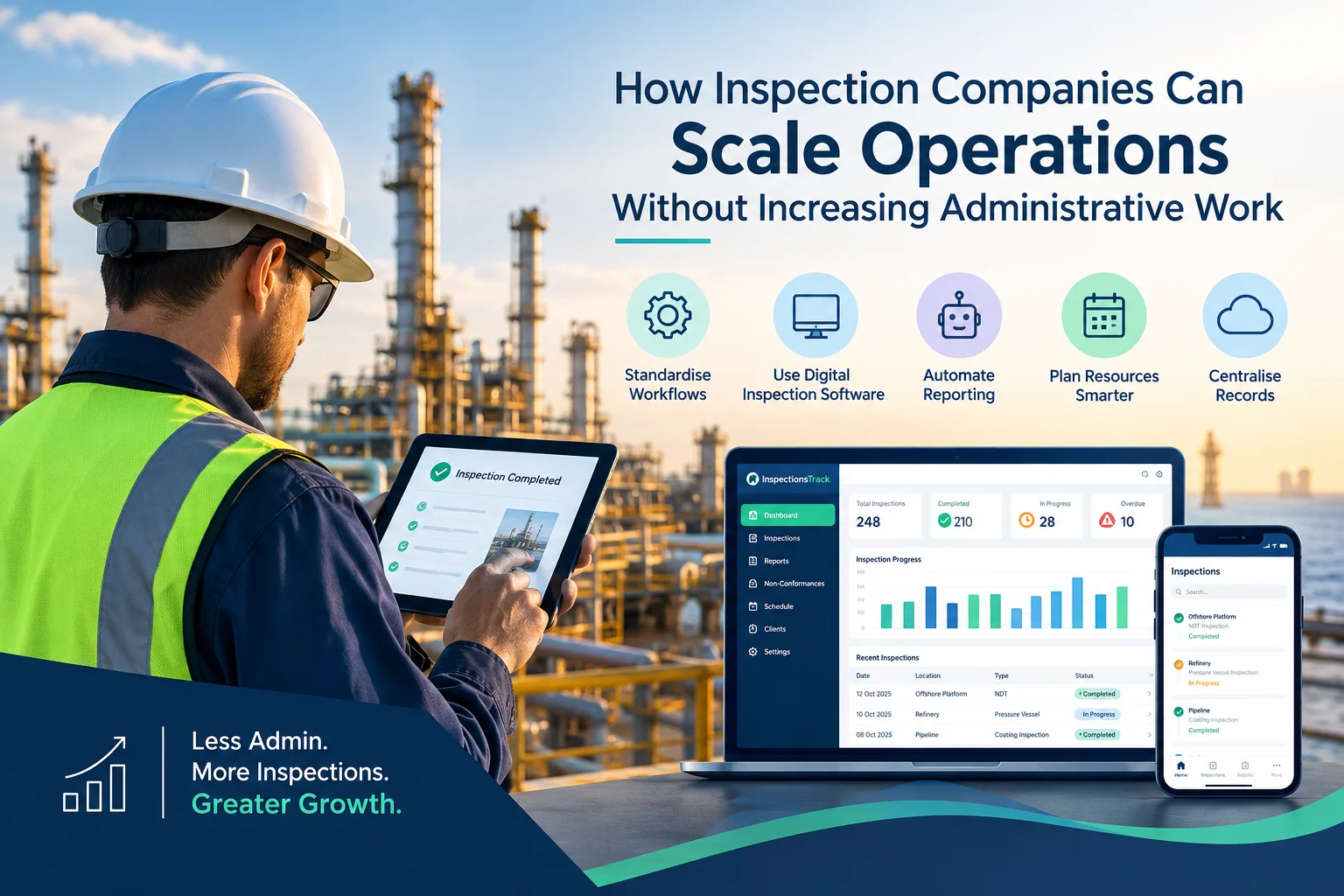
Inspection companies in the oil and gas industry face a common challenge: how to handle more inspections, manage larger projects, and meet client deadlines without increasing administrative workload. As businesses grow, inspection teams must manage…

Meeting client Service Level Agreements (SLAs) is essential for inspection companies working in demanding industries such as oil and gas, energy, and industrial maintenance. Clients expect inspections to be completed on time, reports to be…


Comment (1)
Client SLAs in Inspection Services: A Practical Guide - inspectionstrack
Oct 19, 2026[…] Read more: How to Implement Inspection Management Software Without Disrupting Field Operations […]
Comments are closed.