
In oil and gas, inspection records are more than documents stored after a job is completed. They provide evidence that assets were inspected, defects were identified, corrective actions were tracked, and safety requirements were followed.
However, a collection of disconnected PDFs, spreadsheets, photographs, and paper checklists does not automatically create a reliable inspection history. A trusted inspection history must be complete, traceable, accurate, and easy to verify.
For inspection companies, asset integrity teams, QHSE managers, and oil and gas operators, a structured digital inspection system can make this process significantly easier.
This guide explains how to build an inspection history that auditors and clients can confidently use.
An inspection history is a chronological record of inspections, findings, repairs, certificates, photographs, reports, and other evidence related to an asset.
For example, the inspection history of a crane might include:
Therefore, an effective inspection history should answer a simple question:
What happened to this asset, when did it happen, who performed the inspection, and what happened afterward?
Oil and gas assets can go through repeated inspections during their operational life. Consequently, teams need more than the latest inspection report.
They need historical context.
A reliable inspection history helps teams:
| Requirement | How inspection history helps |
|---|---|
| Audit readiness | Provides organized evidence and supporting records |
| Asset integrity | Shows inspection trends and recurring defects |
| Client reporting | Makes historical information easier to verify |
| Compliance | Demonstrates that required inspections were completed |
| Maintenance planning | Helps identify recurring issues |
| Traceability | Connects findings to specific assets and inspections |
| Decision-making | Gives teams access to historical inspection data |
Moreover, a well-maintained history can reduce the time inspectors and coordinators spend searching through old files.
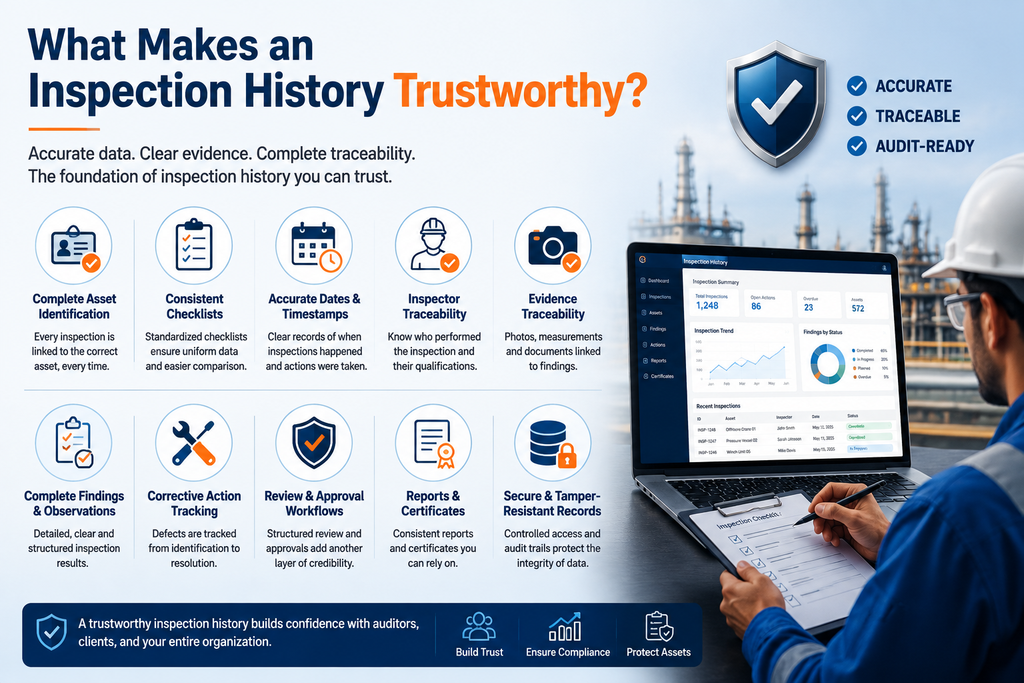
A trusted inspection record is not simply a digital version of a paper report.
It should have several important characteristics.
Every inspection should clearly identify the asset being inspected.
Depending on the inspection type, this may include:
This information creates the foundation for traceability.
For example, instead of storing a report as:
Crane Inspection September.pdf
a structured system can associate the inspection directly with:
Crane → Asset ID → Client → Location → Inspection Date → Findings → Certificate
As a result, users can retrieve the complete history without relying on filenames.
Inspection data becomes difficult to compare when every inspector records information differently.
Therefore, standardized inspection checklists are essential.
A digital checklist can define:
At the same time, standardized forms can support different inspection disciplines, including:
This creates a consistent structure across inspection teams and projects.
An inspection history should show when an activity occurred.
Record important dates such as:
Where appropriate, timestamps also provide additional evidence about when records were created or updated.
This becomes particularly useful when auditors review the sequence of events.
Auditors and clients often need to know who performed an inspection.
Therefore, inspection records should associate the inspection with the responsible inspector.
Useful information can include:
However, access to personal information should be controlled according to the organization’s privacy and security requirements.
Photos can provide valuable evidence during an inspection. However, they become less useful when they are stored separately from the relevant inspection record.
For example, a folder containing hundreds of images named:
IMG_1023.jpg
IMG_1024.jpg
IMG_1025.jpg
does not provide much context by itself.
Instead, inspection software should connect photos with:
Asset → Inspection → Checklist Item → Finding → Corrective Action
This makes visual evidence easier to understand later.
A practical inspection history can be built around a simple lifecycle.
Create a unique asset record.
Select the relevant inspection type and checklist.
Capture results, observations, measurements, defects, and comments.
Add photographs, videos, documents, certificates, or other supporting evidence.
Assign actions where defects or non-conformities require follow-up.
Use an appropriate review or approval workflow.
Create a standardized final inspection report.
Keep the inspection connected to the asset so future inspections can reference previous records.
This approach creates a continuous inspection history instead of a collection of isolated reports.
These two approaches are often confused.
| Document storage | Structured inspection history |
|---|---|
| Stores files | Stores structured inspection data |
| Relies heavily on filenames | Uses asset and inspection identifiers |
| Limited searchability | Searchable inspection records |
| Evidence may be separated | Evidence linked to inspection records |
| Historical comparison is difficult | Previous inspections can be reviewed |
| Manual reporting | Automated report generation can be supported |
| Higher risk of duplicate files | Centralized records reduce duplication |
Therefore, simply uploading inspection PDFs to cloud storage may not provide the same visibility as a dedicated inspection management platform.
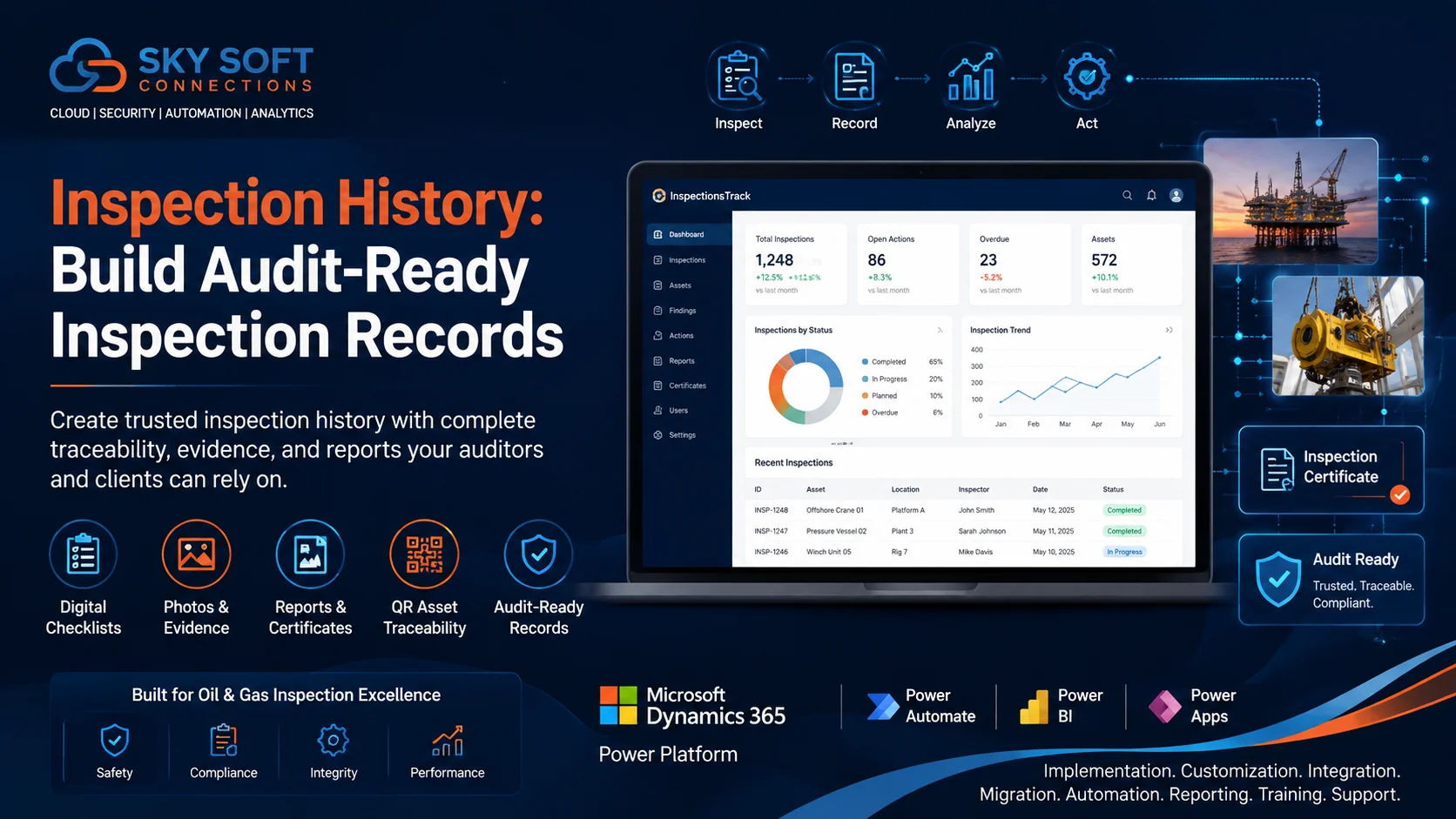
For oil and gas inspection companies, InspectionsTrack is designed to bring inspection activities, asset information, evidence, reporting, and historical records into one connected environment.
The platform supports inspection workflows across desktop, web, and mobile environments, helping inspection teams manage field work and inspection records more systematically.
InspectionsTrack can connect inspection information with the relevant asset and client.
This helps teams build a structured history rather than maintaining unrelated reports across different folders.
Field inspectors may work in locations where internet connectivity is limited.
InspectionsTrack supports online and offline inspection workflows, allowing inspectors to continue recording information in the field and synchronize data when connectivity becomes available.
This can be particularly useful for offshore and remote oil and gas inspection environments.
Inspection teams can use structured templates and checklists for different inspection requirements.
This helps standardize how information is collected while reducing dependence on handwritten notes and inconsistent spreadsheets.
Inspection evidence can be associated with inspection records.
Therefore, teams can maintain more complete documentation around findings, assets, and inspection activities.
QR functionality can provide another way to connect physical assets with digital inspection information.
An inspector can use an asset QR code to access relevant records and inspection information, depending on the organization’s configured workflow and permissions.
This can make asset identification faster while reducing the risk of selecting the wrong equipment record.
InspectionsTrack includes report generation and client-specific reporting capabilities.
Teams can use configured report templates and certificates to create consistent documentation for clients and internal records.
Dashboards can provide visibility into inspection activities, while audit trail functionality helps organizations maintain a record of relevant system activity.
Together, these capabilities can support better inspection oversight and audit preparation.
A strong inspection record should provide enough information for another person to understand what happened without relying on informal explanations.
A useful audit-ready record may include:
The exact requirements will vary depending on the asset, industry standards, client requirements, and applicable regulations.
Clients generally need more than a final PDF.
They need confidence that the information is connected to the correct asset and supported by evidence.
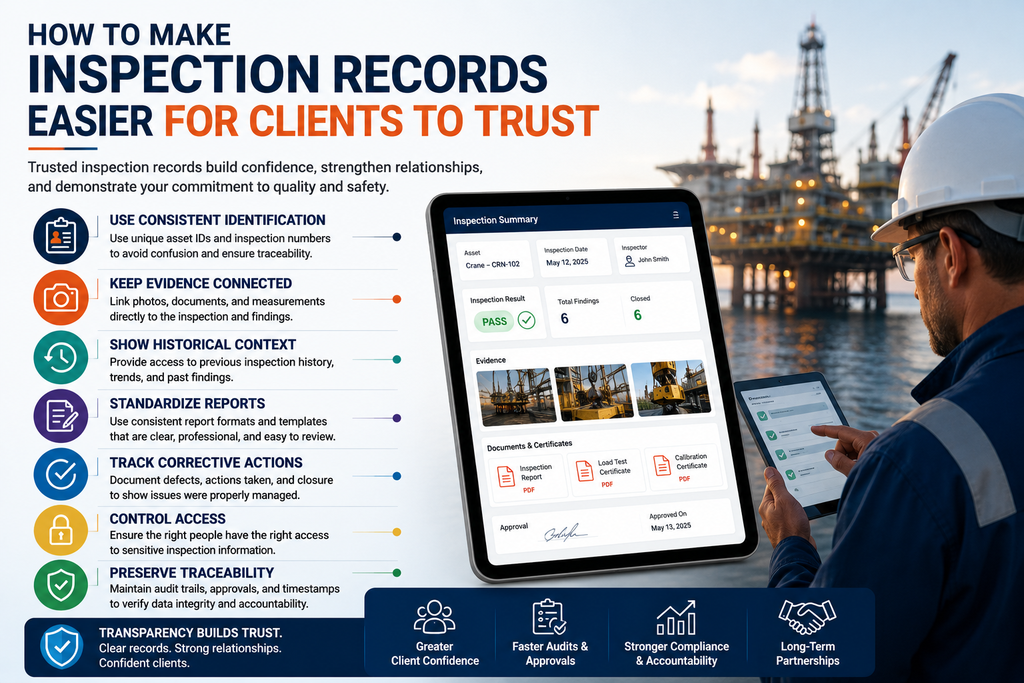
Give every asset and inspection a unique identifier.
Link photos, findings, and documents to the relevant inspection.
Make previous inspections accessible where appropriate.
Use consistent report structures and client-specific templates.
Do not stop at identifying a defect. Record what happened afterward.
Give users appropriate permissions based on their roles.
Maintain relevant activity and approval records so changes can be reviewed when necessary.
Even organizations with digital systems can create unreliable records if their processes are inconsistent.
Folders can help organize documents, but they do not automatically create relationships between assets, findings, and inspections.
Spreadsheets may work for simple tracking. However, large inspection operations can quickly outgrow them, especially when they require photos, multiple inspectors, approvals, certificates, and historical asset records.
When photographs are separated from inspection findings, users may struggle to identify what each image proves.
Replacing an old inspection record with a new version can make historical review difficult.
Instead, organizations should maintain appropriate historical records and version information.
A defect is only part of the story.
A trustworthy history should also show whether the issue was reviewed, corrected, accepted, deferred, or otherwise managed according to the organization’s process.
Before considering an inspection history audit-ready, ask:
| Question | Yes/No |
|---|---|
| Is every asset uniquely identified? | ☐ |
| Can previous inspections be retrieved easily? | ☐ |
| Are inspection dates clearly recorded? | ☐ |
| Is the responsible inspector identified? | ☐ |
| Are checklists standardized? | ☐ |
| Are photos linked to the relevant inspection? | ☐ |
| Are defects and observations recorded? | ☐ |
| Are corrective actions tracked? | ☐ |
| Are certificates and reports connected to the asset? | ☐ |
| Can users identify the inspection sequence? | ☐ |
| Are approvals and relevant activity traceable? | ☐ |
| Can authorized users retrieve records quickly? | ☐ |
If several answers are “No,” the organization may have an opportunity to strengthen its inspection record management process.
Inspection history becomes especially valuable when organizations analyze records over time.
For example, repeated inspection findings may indicate:
Consequently, historical inspection data can support asset integrity and maintenance planning.
However, inspection history should support professional decision-making rather than replace competent engineering, inspection, or QHSE judgment.
Read more : Inspection Scheduling Software: How to Prevent Missed and Overdue Inspections
An inspection history is a chronological record of inspections, findings, evidence, corrective actions, certificates, and other relevant information associated with an asset.
It helps inspection and asset integrity teams maintain traceability, review previous findings, prepare documentation, and provide clients or auditors with supporting evidence.
Inspection software can connect assets, inspections, checklists, photos, findings, reports, certificates, and corrective actions in a structured digital system.
It should normally include asset identification, inspection details, inspector information, checklist results, findings, evidence, corrective actions, approvals, and relevant reports or certificates. Specific requirements depend on the applicable standards and client requirements.
Yes. Inspections Track supports online and offline inspection workflows, allowing field teams to collect inspection information where connectivity may be limited and synchronize records when connectivity is available.
A trusted inspection history is built through traceability, consistency, evidence, and structured data.
For oil and gas inspection companies, the goal should not be simply to store more reports. Instead, organizations should create a connected history that shows what was inspected, what was found, what evidence was collected, and what happened next.
With structured inspection workflows, digital checklists, asset traceability, photographs, reports, certificates, and historical records, inspection teams can create documentation that is easier to manage and review.
InspectionsTrack helps oil and gas inspection companies move from disconnected inspection records to a more structured digital inspection management workflow.
Want to see how InspectionsTrack can support your inspection operations? Request a demo and explore the platform for your inspection requirements.

Inspection evidence is more than a collection of photos and documents. For oil and gas inspection companies, it provides the proof behind inspection findings, compliance decisions, equipment condition, and corrective actions. However, inspection teams often…

Missed and overdue inspections can create more than scheduling problems. In the oil and gas industry, delayed inspections can affect equipment availability, compliance records, maintenance planning, and operational visibility. For inspection companies managing multiple assets,…


Comment (1)
Inspection Evidence Management: Organize Inspection Records - inspectionstrack
Sep 22, 2026[…] Read more : How to Create an Inspection History That Auditors and Clients Can Trust […]
Comments are closed.